Apple CarPlay installation in Central New York is a smart upgrade for drivers who want easier access to maps, calls, music, messages, and phone apps from the vehicle’s screen. If your current stereo feels old, your factory screen does not support CarPlay, or your phone connection is frustrating, a CarPlay upgrade can make the cabin feel much more modern.
The real question is not only, “Can my car get Apple CarPlay?”
The better question is, “What setup fits my vehicle without losing the features I use every day?”
At Notorious Auto Protection in Syracuse, NY, drivers can ask about Apple CarPlay installation, Android Auto installation, car audio systems, car speakers, car amplifiers, and car subwoofers.
Notorious Auto Protection is located at 6742 Pickard Dr, Syracuse, NY 13211. The shop serves drivers in Syracuse, NY and across Central New York who want clean installs, better sound, and modern vehicle tech.
To talk through Apple CarPlay installation, call (315) 552-4441 or visit https://notoriousautoprotection.com/contact-us.
Apple CarPlay is Apple’s in-car system that lets you use supported iPhone features through your vehicle display. Apple says CarPlay lets drivers get directions, make calls, send and receive messages, and listen to music while staying focused on the road. Apple also lists many vehicle makes and models that currently offer or plan to offer CarPlay support. See Use CarPlay with your iPhone and CarPlay Available Models.
Here is why that matters.
Instead of picking up your phone to change music or check directions, CarPlay puts many common phone functions on the vehicle screen. Depending on the vehicle and stereo, you may be able to use Siri, steering wheel buttons, touchscreen controls, maps, music apps, podcasts, messages, and phone calls.
Apple CarPlay can be factory-installed in newer vehicles, or it can often be added to older vehicles through an aftermarket stereo or vehicle-specific module. Compatibility depends on the vehicle, screen, wiring, factory features, and the parts available for that model.
Drivers choose Apple CarPlay installation in Central New York for convenience, safety-minded phone use, and a more current cabin feel.
A CarPlay upgrade can help with:
Now here’s the thing.
CarPlay is not only for newer luxury cars. Many older vehicles can be upgraded with the right stereo, wiring adapters, trim kit, and install plan. A daily driver, work truck, Jeep, SUV, sedan, or weekend car may be a good candidate.
For many drivers, Apple CarPlay installation feels like getting a newer vehicle without buying one. The screen becomes easier to use, the phone connection feels more natural, and the cabin feels more up to date.
Apple CarPlay compatibility depends on both your iPhone and your vehicle setup.
On the phone side, Apple lists CarPlay support for many iPhone models, including iPhone 5 and newer models, on its CarPlay page. On the vehicle side, Apple maintains a list of makes and models that offer or plan to offer CarPlay support. See Apple CarPlay and CarPlay Available Models.
For installation work, compatibility usually comes down to these questions:
Let’s break it down.
Some vehicles can accept an aftermarket touchscreen with the right dash kit and wiring. Some vehicles need extra adapters to keep steering wheel controls, camera functions, factory chimes, or amplifier integration. Some newer vehicles are more complex because the factory screen controls many vehicle settings.
This is why Apple CarPlay installation should start with a compatibility check, not just a screen purchase.
Apple CarPlay can be wired or wireless, depending on the stereo and vehicle.
Wired CarPlay usually connects through a USB cable. Apple says some vehicles use a USB port that may be labeled with a CarPlay icon or smartphone icon. Apple also says that if a vehicle supports both wireless and USB CarPlay, plugging the iPhone into the USB port may trigger an alert to connect wirelessly next time. See Connect iPhone to CarPlay.
Wireless CarPlay connects without keeping the phone plugged in. It can be more convenient for quick trips, errands, and daily use. Many drivers like wireless CarPlay because the phone can stay in a pocket, bag, or charging area.
Bottom line, both options can work well.
Wired CarPlay may be a good fit if you want a simple, steady connection and do not mind plugging in. Wireless CarPlay may be a better fit if convenience matters more and your chosen stereo supports it.
During your quote, tell Notorious Auto Protection which one you prefer. The answer can affect parts, stereo choice, USB placement, and install planning.
Apple CarPlay installation may use your existing factory screen or a new aftermarket screen, depending on the vehicle.
Some vehicles can use a module that adds CarPlay to the factory screen. This can be a good choice if you want to keep the original look of the dash. It may also help preserve some factory controls when a full stereo swap is not ideal.
Other vehicles are better suited for an aftermarket touchscreen stereo. This can add a larger display, newer audio controls, Bluetooth, USB support, camera inputs, better tuning tools, and wired or wireless CarPlay.
Here is why this choice matters.
The screen is only one part of the install. The installer must think about how the new system will interact with factory features. In some vehicles, the radio may connect to steering wheel buttons, factory camera, parking sensors, vehicle settings, climate controls, factory amp, warning chimes, or dashboard displays.
A clean Apple CarPlay installation should feel natural after the work is done. The screen should fit well, wires should be hidden, controls should make sense, and the system should be tested before you leave.
Apple CarPlay installation cost in Central New York depends on the vehicle, the screen or module selected, labor time, wiring needs, and factory feature retention.
Notorious Auto Protection does not need to guess from a random online price because every vehicle is different. A 2008 sedan, 2015 pickup, 2020 SUV, Jeep Wrangler, BMW, Subaru, Toyota, Ford, Chevy, Ram, Honda, Nissan, and Tesla can all require different parts and install time.
Cost can be affected by:
The real question is what you want the finished system to do.
A simple CarPlay receiver install may cost less than a full system with CarPlay, speakers, subwoofer, amplifier, backup camera retention, and steering wheel controls. A vehicle with a complex factory infotainment system may need more parts and labor than an older vehicle with a simple radio.
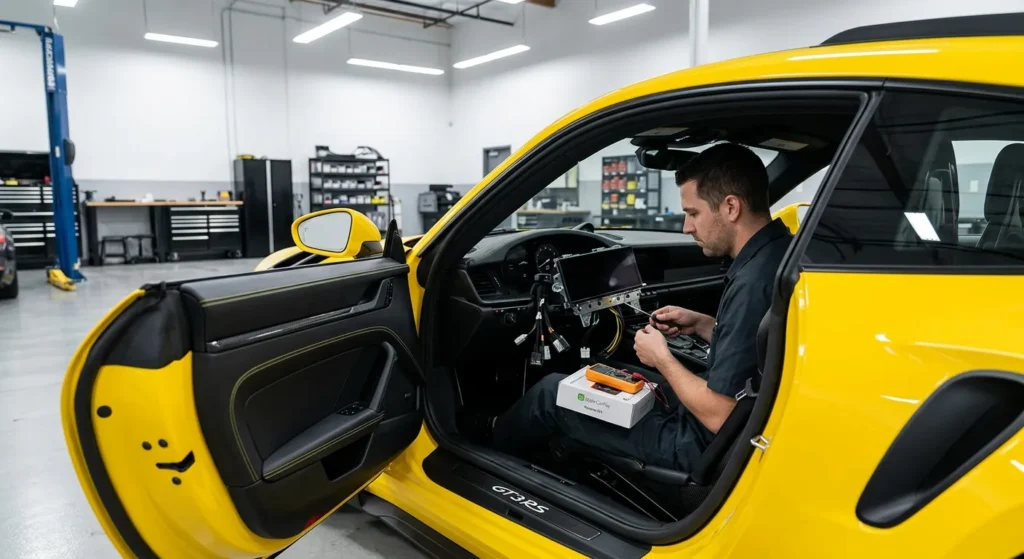
To get a real quote, call with your vehicle details and what you want to keep or add.
In many vehicles, yes, but it depends on the vehicle and parts available.
Steering wheel control retention usually requires an adapter. Backup camera retention may also require a harness or interface. Factory amplifiers, chimes, satellite radio, USB ports, parking sensors, and vehicle settings can also affect the install.
Here is why you should ask before installation.
Some drivers only think about the new screen. Then they realize they still want volume buttons on the steering wheel, the factory camera, hands-free calling, the factory amp, or dash display features. These details should be discussed before parts are ordered.
A good planning conversation should include:
What this means is simple.
Compatibility is not just “Will CarPlay turn on?” It is “Will the full vehicle still work the way you expect?”
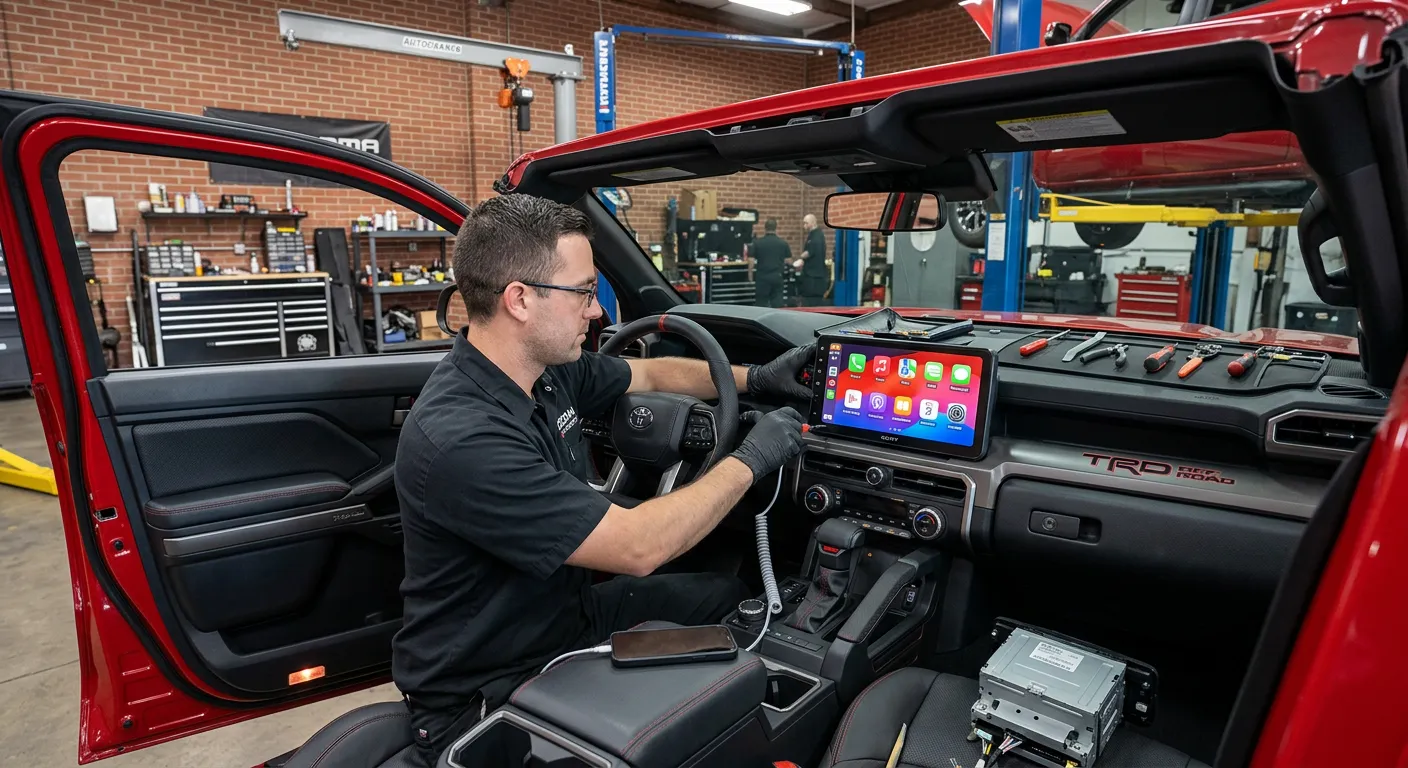
Apple CarPlay installation starts with checking the vehicle and choosing the right parts. Once the setup is planned, the installer removes the factory radio or trim areas as needed.
A typical install may include:
The catch is, every vehicle is different.
Some vehicles are simple. Others need careful trim work, extra interfaces, or custom placement. If the vehicle has factory navigation, premium audio, rear entertainment, parking sensors, or climate controls tied into the screen, the install needs more planning.
The finished system should be tested for audio, phone calls, microphone quality, CarPlay connection, steering wheel controls, backup camera, and basic vehicle functions before delivery.
Apple CarPlay installation can be a great time to upgrade the rest of your sound system.
A new screen can make the cabin feel modern, but the sound still depends on speakers, amps, subs, and tuning. If the factory speakers are weak, a CarPlay receiver alone may not fix everything. If you want better bass, you may need a subwoofer. If you want cleaner volume, an amplifier may help.
Notorious Auto Protection can help with:
Next steps depend on your goal.
If you mainly want maps and calls, CarPlay may be enough. If you want better music, add speakers. If you want bass, add a subwoofer. If you want a full sound upgrade, plan the screen, speakers, amp, sub, wiring, and tuning together.
Apple CarPlay is made to help drivers use supported iPhone features through the vehicle display, but drivers still need to use it wisely.
Apple says CarPlay lets you use directions, calls, messages, and music while staying focused on the road. NHTSA driver distraction guidance discusses reducing visual-manual tasks, which means reducing tasks that require drivers to look at a device, manipulate controls by hand, or watch for screen feedback while driving. See NHTSA Distraction Guidelines Initial Notice.
Here is the practical rule.
Set your destination, playlist, and phone connection before driving when you can. Use Siri or steering wheel controls when appropriate. Avoid typing, searching, or making screen-heavy changes while the vehicle is moving.
Good habits include:
A good CarPlay install should make the system easier to use, not harder.
Apple CarPlay installation in Central New York can work for many vehicle types.
Sedans, coupes, and hatchbacks often benefit from a clean touchscreen upgrade, especially if the factory radio feels outdated.
Truck owners may want CarPlay for maps, work calls, music, towing trips, and daily driving. A truck install may also pair well with truck accessories, truck lighting, or truck side steps.
SUV drivers often want better maps, family-friendly audio, hands-free calling, and backup camera retention.
Jeep owners may want a CarPlay system that works with off-road trips, music, calls, and screen visibility.
For a daily driver, CarPlay can make commutes easier by bringing maps, phone calls, and music into one cleaner screen experience.
If you also want the cabin to feel more custom, ask about interior vehicle ambient lighting installation or starlight headliner installation.
Yes. Apple CarPlay installation can be part of a larger interior or exterior upgrade plan.
For the cabin, you can ask about:
For the outside of the vehicle, you can ask about:
A CarPlay screen can make the inside feel newer. Tint, wrap, PPF, ceramic coating, and detailing can make the outside feel finished too.
Notorious Auto Protection has served Syracuse, NY since 2020 and is trusted for vehicle customization, car care, paint protection, tint, audio, lighting, and interior upgrades. The shop is Ceramic Pro certified, a Ceramic Pro vendor, and carries warranties on products and services.
With 269 reviews and a 5-star rating, Notorious Auto Protection is a trusted choice for drivers across Syracuse, NY and Central New York.
Related services include:
Whether you want a simple screen upgrade or a full cabin upgrade with better sound and lighting, the team can help you plan the right setup.
Apple CarPlay installation in Central New York can make your vehicle feel newer, easier to use, and more connected. The best setup depends on your vehicle, stereo type, phone, factory features, and whether you want wired or wireless CarPlay.
Before you schedule, gather your vehicle year, make, and model. It also helps to know whether you want to keep steering wheel controls, backup camera, factory USB ports, factory amplifier, and any screen-based vehicle settings.
Notorious Auto Protection is located at 6742 Pickard Dr, Syracuse, NY 13211. Business hours are Monday through Saturday from 8 AM to 6 PM and Sunday from 8 AM to 5:30 PM.
Call (315) 552-4441 or visit https://notoriousautoprotection.com/contact-us to schedule an appointment.
Not every vehicle is simple, but many vehicles can be upgraded with Apple CarPlay through an aftermarket stereo or vehicle-specific module. Compatibility depends on the year, make, model, factory screen, wiring, and available adapters.
Apple CarPlay installation cost depends on the vehicle, screen or module selected, wiring needs, dash kit, steering wheel control retention, backup camera retention, factory amplifier integration, and labor. Call Notorious Auto Protection for a custom quote.
Wireless CarPlay is convenient because you do not need to plug in every time. Wired CarPlay can be simple and steady because it connects through USB. The better choice depends on your stereo, vehicle, and daily habits.
In many vehicles, yes. Steering wheel control retention often requires an adapter. Ask about this before installation so the correct parts can be planned.
In many vehicles, yes. Backup camera retention may require a wiring interface or adapter. Some drivers also choose to upgrade the camera during the install.
Yes. Apple CarPlay installation can be paired with speakers, subwoofers, amplifiers, and sound tuning. This is a good option if you want both modern screen features and better sound.
Call Notorious Auto Protection at (315) 552-4441 or visit https://notoriousautoprotection.com/contact-us to request an appointment.

Your vehicle is a significant investment, and ensuring its protection from the elements and everyday hazards is crucial to maintaining its value and appearance. In Syracuse, NY, where road conditions and weather can be unpredictable, combining STEK Paint Protection Film (PPF) and Window Tint offers the ultimate solution for safeguarding your car. At Notorious Auto Protection, we specialize in applying these premium products to provide your vehicle with maximum protection and enhanced aesthetics.
Product Brand: Auto Protection
Question about the service you're choosing, or simply ready to book? Contact us today to get started
Explore the many services we offer by clicking the boxes below